
CollabX - Android and Web Messenger
WhatsApp like chat system hosted on your server
version 1.0
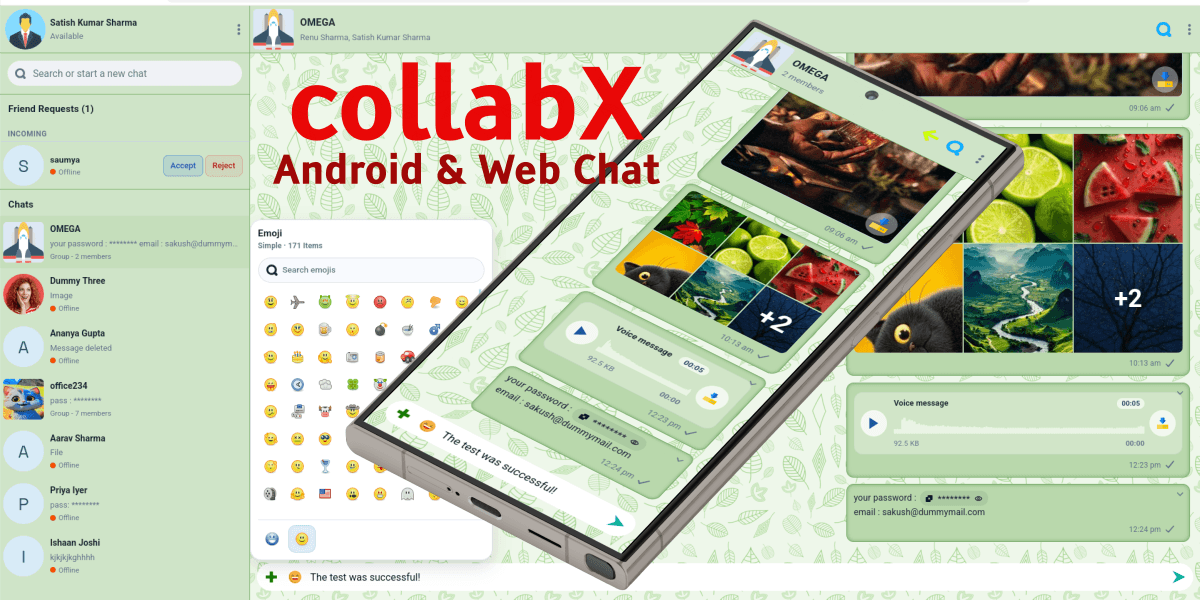
This script is licensed for lifetime use, with support and updates for a limited period from purchase date.
What is CollabX?
CollabX is a browser-based and Android-ready collaboration messenger. It runs on your own PHP/MySQL hosting and exposes all chat actions through a versioned JSON API at /api/v1.
At a product level, CollabX is not only a simple chat window. It combines identity, friendships, direct conversations, group conversations, file sharing, notifications, moderation rules, and admin oversight into one self-hosted system. The web client is rendered from index.php, the backend business logic is under src/, and the API handlers live under api/v1/handlers/.
CollabX also includes an Android module under android/. That matters because the project was intentionally designed so the web interface and the Android app share the same backend contract instead of maintaining two unrelated systems.
Self-hosted Friend-gated direct chat Group chat Admin panel Push notifications Android-ready API
2. Why was CollabX built?
The need for CollabX is similar to the logic explained on the PHPix page: sometimes a generic public platform is not enough. A team or organization may want chat, file exchange, and collaboration, but still need full control over where the data lives, who can join, what files can be shared, and how moderation works.
What CollabX solves
- You control the hosting, storage, branding, and deployment instead of relying completely on a third-party SaaS chat provider.
- Direct chat is not fully open by default. The project already supports friendship requests and accepted-friend gating for one-to-one conversations.
- Group communication is more structured than a basic messenger. Groups can have join approval, announce-only mode, slow mode, and permission matrices.
- Files are not just public URLs dropped into a chat. File access is protected through authenticated download endpoints.
- The same backend can serve both the web client and the Android client without a separate rewrite.
CollabX is useful when chat is part of a wider product or internal workflow and you need control over access, policy, storage, and future integrations.
3. What users can do
Based on the README, API handlers, schema, and Android spec, the user-facing product currently supports the following capabilities.
Identity and account
- Register
- Login and logout
- Forgot password and reset password
- Profile name, avatar, and status text
- Theme and background preferences
Social graph
- Search users
- Send friend requests
- Accept, reject, or cancel requests
- Maintain accepted-friend contacts
Conversation features
- Direct chat
- Group chat
- Typing indicators
- Read receipts and unread counts
- Polling-based sync updates
Rich collaboration
- Text and emoji messages
- Images and file attachments
- Reactions
- Stars and pinned messages
- Polls, mentions, and link previews
What makes the groups more than basic chat rooms
The schema and admin tooling show that groups can carry moderation rules such as join_approval_required, announce_only, slow_mode_seconds, and permission levels for media, links, code, invites, pinning, and editing group info.
4. How can CollabX be useful? Example scenarios
The PHPix page explains value through simple scenes. CollabX benefits from the same approach.
Scene 1: Internal office messenger
A company wants a private chat platform for employees. Direct chat should be possible, but group membership should be controlled by admins. Announce-only groups can be used for HR notices, and slow mode can reduce spam in high-volume rooms.
Scene 2: Community with moderated entry
An education or alumni community wants public discoverability only up to user search, while real chat access depends on friendships or group approval. Join requests help moderators decide who can enter a group.
Scene 3: Team workspace with files and context
A design or development team shares screenshots, PDFs, code snippets, polls, and pinned messages. CollabX keeps these in a structured conversation model instead of scattering them across email and multiple apps.
Scene 4: Hybrid web and mobile deployment
A product owner wants the browser version ready immediately but also wants an Android client later. Because CollabX is API-first, both clients can use the same auth model and messaging endpoints.
5. System overview
| Web entrypoint | index.php |
|---|---|
| API entrypoint | api/v1/index.php |
| Admin area | admin/ |
| Core backend classes | src/Auth.php, src/Database.php, src/Storage.php, src/Mailer.php, src/PushService.php |
| Database bootstrap | database/schema.sql |
| Web frontend bundle | assets/js/app.bundle.js built from source fragments in assets/js/ |
| Android module | android/ |
| Storage paths | storage/uploads, storage/avatars, storage/captcha_cache, storage/captcha_limits, storage/push |
High-level flow
- User logs in from the web UI or Android app.
- Auth is validated through token-based API flows.
- The client loads conversations, friends, requests, and sync updates from
/api/v1. - Messages, attachments, and notification events are stored in MySQL and storage paths under
storage/. - Optional push notifications are sent through the configured push service pipeline.
6. Installation and first run
This section condenses the existing README into a clearer deployment guide.
Requirements
- PHP 8.1+
- MySQL 8+ or MariaDB with JSON and
utf8mb4support - Apache with
mod_rewrite - Composer dependencies available under
vendor/
Quick local setup
1. Put the project in htdocs/COLLABX
2. Import database/schema.sql into MySQL
3. Verify config/database.php for local DB access
4. Verify config/app.php base_url behavior
5. Make storage folders writable
6. Start Apache and MySQL
7. Open http://localhost/COLLABX
Important URLs
| Web app | http://localhost/COLLABX or https://localhost/COLLABX |
|---|---|
| Admin login | http://localhost/COLLABX/admin/login.php |
| API root | /api/v1 |
Environment variables you should know
COLLABX_SMTP_HOST
COLLABX_SMTP_PORT
COLLABX_SMTP_ENCRYPTION
COLLABX_SMTP_USERNAME
COLLABX_SMTP_PASSWORD
COLLABX_SMTP_FROM_EMAIL
COLLABX_SMTP_FROM_NAME
COLLABX_DEV_EXPOSE_RESET_TOKEN
COLLABX_DEVELOPER_MODE
COLLABX_CAPTCHA_SECRET
COLLABX_ANDROID_AUTH_BYPASS_KEY
COLLABX_PUSH_ENABLED
COLLABX_PUSH_PUBLIC_KEY
COLLABX_PUSH_PRIVATE_KEY
COLLABX_PUSH_SUBJECT
COLLABX_UPLOAD_SCAN_ENABLED
COLLABX_UPLOAD_SCAN_COMMAND
COLLABX_UPLOAD_SCAN_BLOCK
Before any public deployment, move all real secrets to environment variables and review committed configuration files carefully. Do not treat local defaults as production-safe.
Writable folders
storage/
storage/uploads/
storage/avatars/
storage/captcha_cache/
storage/captcha_limits/
storage/push/
7. Project structure
| Path | Purpose |
|---|---|
index.php |
Main web shell and chat UI bootstrap. |
api/v1/ |
Versioned JSON API. Routes are delegated to auth, users, conversations, sync, uploads, and links handlers. |
admin/ |
Bootstrap-based admin area with dashboard, users, conversations, smiley management, and secure file download. |
src/ |
Shared PHP services: database, auth, response helpers, mail, push, storage, and utility bootstrap. |
assets/js/ |
Source fragments for the generated frontend bundle. |
assets/css/, assets/svg/, assets/vendor/ |
Frontend styling, icons, backgrounds, avatars, emoji/smiley packs, and vendor libraries. |
database/schema.sql |
Core schema including users, chats, messages, attachments, reactions, stars, polls, notifications, push subscriptions, and moderation tables. |
docs/ |
Existing internal specifications for web scope, Android, and test accounts. |
android/ |
Native Android app module using Retrofit, OkHttp, Kotlin serialization, and DataStore. |
Frontend JS bundle workflow
Do not edit assets/js/app.bundle.js directly. Edit the source fragments and rebuild.
node scripts/build-app-bundle.js
8. API guide
The API is the contract that keeps the web and Android clients aligned. The main dispatcher is api/v1/index.php.
Primary route families
| Family | Examples |
|---|---|
| Auth | POST /auth/register, POST /auth/login, POST /auth/logout, GET /auth/me, POST /auth/forgot-password, POST /auth/reset-password |
| Users and contacts | GET /users/search, PATCH /users/me, POST /users/me/avatar, GET /friends, GET /friend-requests |
| Conversations | GET /conversations, POST /conversations, POST /conversations/group, GET /conversations/{id}/messages, POST /conversations/{id}/typing |
| Sync | GET /sync/updates for polling-based updates. |
| Uploads and files | POST /uploads, GET /files/{file_token} |
| Link previews | Resolved in handlers/links.php with SSRF-aware host checks and HTML metadata parsing. |
Notable advanced features present in code/schema
- Message reactions
- Pinned messages
- Stars/bookmarks
- Message polls and votes
- Mentions
- Link preview extraction
- Typing and receipt counts
9. Admin guide
The admin area is under admin/ and includes its own login flow and Bootstrap-based layout.
Default local admin access
| URL | http://localhost/COLLABX/admin/login.php |
|---|---|
| Username | admin |
| Password | Admin@12345 |
What admins can manage
- User records and activation state
- Conversation inspection
- Conversation policy controls such as join approval, announce-only mode, and slow mode
- Smiley pack management
- Admin-authenticated attachment download
Admin tooling is not a copy of the user-facing app. It is an oversight layer for moderation, diagnostics, and platform management.
10. Android guide
The Android module already exists and is documented in docs/android-app-spec.md. That makes CollabX more than a web-only project.
Android side currently includes
- Login, register, forgot password, and reset password screens
- Conversation list with unread counts
- User search with relationship-aware actions
- Friend request lists and actions
- Group creation flow
- Conversation screen with text, receipts, and typing state
- Polling sync via
/sync/updates
Android artifacts noted in project docs
build-artifacts/CollabX-debug.apkbuild-artifacts/CollabX-release-unsigned.apkbuild-artifacts/CollabX-release-signed.apk
Why this matters
If you maintain the API carefully, the Android client can continue growing without forcing a second backend design. That is one of the strongest architectural advantages of this project.
11. What can developers do for CollabX?
This is the CollabX equivalent of the PHPix section that asks what developers can build. There are many useful directions already implied by the codebase.
Frontend and UX improvements
- Refine themes, background packs, and visual identity
- Add richer media previews and attachment experiences
- Improve accessibility and keyboard workflows
- Expand notification and activity UX
Messaging and collaboration upgrades
- Deepen poll UI and analytics
- Improve message edit history and moderation visibility
- Expand mention behavior and participant directory actions
- Add workflow around pinned and starred content
Transport and performance
- Upgrade from polling to SSE or WebSockets while preserving the API service abstraction
- Improve background sync behavior
- Optimize large conversation loading and attachment delivery
Platform and security work
- Move all secrets to environment-only configuration
- Harden upload scanning and deployment defaults
- Expand audit logging and admin diagnostics
- Add production deployment scripts and CI checks
Android and multi-client work
- Finish attachment flows and push integration on Android
- Add install and release automation for APK builds
- Keep DTOs and API contracts aligned with the web platform
12. Operations and security checklist
- Use
utf8mb4everywhere for emoji-safe messaging. - Protect secrets with environment variables, not committed literals.
- Keep storage paths writable but not world-open beyond what the server user needs.
- Enable HTTPS for production deployments.
- Review upload extension/MIME rules before allowing new file types.
- Set up SMTP properly before relying on reset and registration mail flows.
- Configure VAPID keys if browser push notifications are required.
- Validate local and live base URLs before building Android or service-worker-sensitive features.
The current project configuration should be reviewed as a deployment artifact, not treated as a final production hardening baseline. A documentation guide should make that explicit so operators do not mistake a working local setup for a secure public rollout.
13. Troubleshooting
The app loads but auth, uploads, or avatars fail
- Check MySQL import status for
database/schema.sql. - Verify storage folder permissions.
- Confirm
config/app.phpandconfig/database.phpmatch the environment.
Forgot password does not send mail
- Review SMTP environment variables.
- In local development, check whether reset-token exposure is enabled for debugging.
Web UI changes do not appear
- Rebuild
assets/js/app.bundle.jsif you changed JS fragments. - Clear browser cache or inspect versioned asset timestamps.
Push notifications do not work
- Check VAPID keys.
- Verify the PHP library or Node helper path for push transport.
- Confirm user-level push preferences are enabled.
Android build issues
- Review
docs/android-dev-setup.mdfor toolchain state. - Confirm the Android API base URL matches the target environment.
Guide created for project path D:\XAMPP\htdocs\COLLABX. Source material used: project README, internal docs under docs/, schema and handlers in the codebase, and the PHPix public page used only as the documentation style model.