
solveX captcha script
Secure and Lightweight PHP CAPTCHA for Reliable Bot Protection
version 1.0
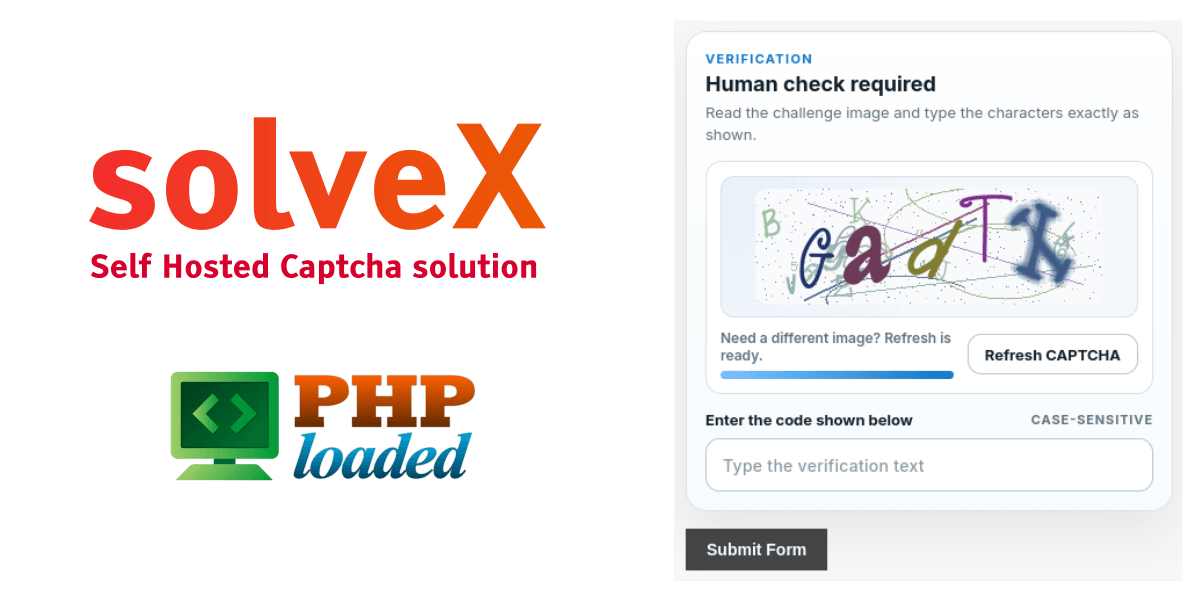
This free project is one step toward making a better web by spending serious effort and time. Please support us by sharing on social media.
SolveX CAPTCHA is a lightweight, secure, and easy-to-integrate PHP-based image CAPTCHA solution designed to protect web forms from spam, bots, and automated abuse. It provides server-side validation, token-based verification, refresh controls, and rate limiting, ensuring both usability and strong protection for your applications.
Key Features
-
Human Verification: Generates dynamic CAPTCHA images that require users to enter the correct characters, helping distinguish humans from bots.
-
Server-Side Validation: All verification is handled securely on the server, preventing manipulation or bypass attempts.
-
Token-Based Security: Each CAPTCHA challenge includes a unique token to ensure the integrity of submissions.
-
Refresh Capability: Users can easily request a new CAPTCHA image if the current one is unclear.
-
Cooldown & Rate Limiting: Built-in protections prevent excessive refresh requests and abuse.
-
Case-Sensitive Input: Ensures higher accuracy and stronger validation by requiring exact character matching.
How It Works
SolveX CAPTCHA integrates seamlessly into your form with a simple widget container and a JavaScript file. When the page loads, a CAPTCHA challenge is generated and displayed. Upon form submission, the user’s input and token are sent to the server, where they are validated using backend logic.
If the response is correct, the form proceeds normally. Otherwise, an error message is returned, and the user may need to try again with a refreshed challenge.
Integration Overview
To implement SolveX CAPTCHA:
-
Add the CAPTCHA widget container inside your form.
-
Include the provided JavaScript file to handle dynamic loading and refreshing.
-
On form submission, validate the CAPTCHA using the server-side validation function.
The system communicates via JSON responses, providing details such as the CAPTCHA image, token, expiration time, and dimensions.
Customization Options
SolveX CAPTCHA allows flexible configuration through data attributes, including:
-
Refresh endpoint URL
-
Cooldown duration
-
Token and input field names
-
Label and placeholder text
-
Button text for refreshing challenges
This makes it easy to adapt the CAPTCHA to your UI and UX requirements.
File Structure
The script includes essential components such as:
-
Frontend widget rendering
-
CAPTCHA image generation
-
Validation logic
-
Refresh endpoint for new challenges
Each part is modular, making maintenance and customization straightforward.
Response Handling
The system uses standard HTTP response codes to indicate outcomes, such as:
-
Success (valid CAPTCHA)
-
Invalid request or method
-
Expired or mismatched challenge
-
Rate limit exceeded
These responses help developers handle errors effectively and improve user experience.
Best Practices
-
Set a strong secret key before deploying to production
-
Ensure required PHP extensions are enabled
-
Keep storage directories writable
-
Use readable fonts for better accessibility
SolveX CAPTCHA is an efficient and developer-friendly solution that balances security with usability, making it ideal for modern web applications.